1
Pick a Photo
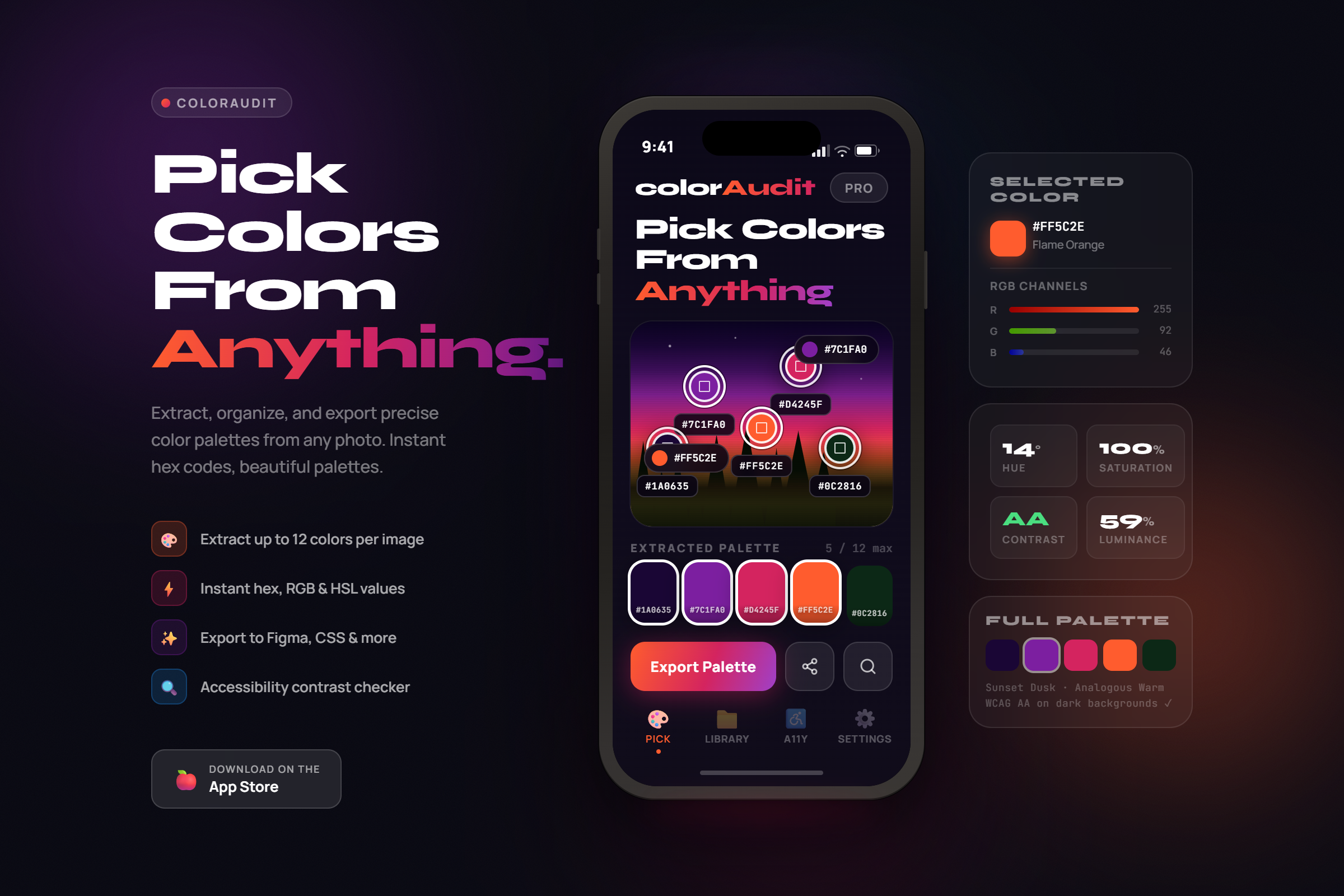
Choose any image from your gallery or snap a photo with your camera. UI screenshots, product packaging, artwork — anything works.
Tap any image to get precise HEX, RGB, and HSL values. Check WCAG contrast, simulate color blindness, and export your palette directly to code.
Free to download · No account · On-device processing
No sign-up, no setup. Open the app, pick a photo, and instantly get the exact colors.
Choose any image from your gallery or snap a photo with your camera. UI screenshots, product packaging, artwork — anything works.
Tap any pixel on the image to instantly read its exact HEX, RGB, and HSL value. Tap multiple spots to build a palette. Everything happens on-device.
Copy HEX, RGB, or HSL with one tap. Check contrast, simulate color blindness, or export the whole palette as CSS, Tailwind, or SwiftUI.
From quick color grabs to full accessibility audits — your entire color workflow in one app.
Tap multiple pixels on any photo to build your palette. Every tap captures the exact HEX, RGB, and HSL value — on-device and instant.
FreeTap any exact spot to read its pixel-perfect HEX, RGB, and HSL value instantly.
FreeYour photos never leave your device. No server, no uploads, no tracking — complete privacy guaranteed.
Free & ProTest any two colors against AA and AAA standards. Instant pass/fail results.
FreePreview your palette for Protanopia, Deuteranopia, and Tritanopia vision types.
ProGenerate CSS variables, Tailwind config, or SwiftUI extensions — ready to paste.
ProStop copying hex codes by hand. ColorAudit Pro generates production-ready code in three formats.
Generate :root { --color-1: ... } custom properties for any web project.
A colors: { ... } object ready for your tailwind.config.js.

A Color extension with static properties for iOS and macOS apps.
:root {
  --color-1: #1A1A2E;
  --color-2: #6C63FF;
  --color-3: #FF6584;
  --color-4: #43D9AD;
  --color-5: #FFD166;
}Free to download, no account required. Pro unlocks the full toolkit for professionals.
All plans include a free download · No account required · Cancel anytime
Everything you need to know about ColorAudit.
ColorAudit is a mobile color tool for designers, developers, and anyone who works with color. Tap any pixel in any photo to read its exact HEX, RGB, and HSL value. The free tier includes the pixel picker and WCAG contrast checker. Pro adds color blindness simulation and palette code export for CSS, Tailwind, or SwiftUI.
Tap any point on your photo and ColorAudit instantly reads that pixel's exact color value — HEX, RGB, and HSL. Tap multiple spots to build a palette. Everything is processed on-device; your images are never uploaded to any server.
Yes. The built-in Contrast Checker calculates the WCAG 2.1 contrast ratio between any two colors and shows whether the combination passes AA or AAA for normal text, large text, and UI components.
ColorAudit simulates how colors appear to people with Protanopia (red-blind), Deuteranopia (green-blind), or Tritanopia (blue-blind). This lets you validate that your designs remain distinguishable for all users — a key part of inclusive design and WCAG compliance.
ColorAudit Pro exports palettes as CSS custom properties
(:root { --color-1: ... }), a Tailwind CSS colors config object, or a SwiftUI
Color extension — all ready to paste directly into your project.
No. All image processing happens entirely on your device. Your photos are never uploaded to any server. No internet connection is required for color extraction, contrast checking, or color blindness simulation.
The Free plan includes 2 image scans per day, the pixel color picker, and the WCAG contrast checker. Pro ($2.99/month or $17.99/year) unlocks unlimited scans, color blindness simulation, palette code export (CSS, Tailwind, SwiftUI), and full scan history.
ColorAudit is available on iOS (iPhone and iPad). Download it free from the App Store — no account or sign-up required.
Free to download. No sign-up. On-device processing.